Showing posts with label you. Show all posts

Friday, April 28, 2017

Ways You Can Extend Your iPhones Battery Life

Ways You Can Extend Your iPhones Battery Life


Below are a full detail 10 reviewed ways of how you can extend your iPhone s battery life span.
Just go through them and be sure it will helo.


1. Reducing your Screen Brightness
One thing to take note of is, the brighter your screen backlight, the more the energy required to power it. Therefore it would be a cool idea if you can reduce your screen brightness to save battery. Go to Settings > Brightness & Wallpaper, then use the slider to reduce the backlight brightness.

2. Turning Off 3G/4G
Of course the 3G/4G are fast for internet connections and downloads, but if you really want to save your iPhone battery, then you need to turn it off. Go to Settings > General > Cellular > Slide Enable 3G to Off

3. Turn Off Bluetooth
When you are not making use of the Bluetooth technology of your iPhone, it is requires you switch it off so as to save the usage of the battery in that aspect. Go to Settings > General > Cellular > Slide Enable Bluetooth to Off.

4. Turning Off Wi-Fi
Wi-Fi is only available where hotspot services are available, and it is sure faster than the 3G. Letting your Wi-Fi On with hopes of getting a hotspot is a sure way to drain your battery. Simply turn the Wi-Fi Off. Go to Settings > WiFi > Slide to Off.

5. Turning Off Data Push
Whenever you get a new mail, you iPhone gets the mail instantly, this is the function of Data Push. Turning it off would reduce the number of times your iPhone Device connects to the internet and this would definitely save your battery life. You would have to set your mails to be checked periodically instead. Here is how to Turn Off Data Push. Go to Settings > Mail, Contacts, Calendar > Fetch New Data > Slide to Off.

6. Fetch Emails Less Often
As I said above, you need to set your email sourcing to periodic intervals, but this should be less often in order to save your battery life. Go to Settings > Mail, Contacts, Calendar > Fetch New Data -> Select Your Preference.

7. Set Auto-Lock to a Sooner Interval
When your iPhone locks, it goes into sleep mode which saves a lot of energy usage. Setting your smartphones auto-lock interval to a quicker time, for instance, 1 or two minutes is a good idea to extend your battery life. Go to Settings > General > Auto-Lock > Tap your Preference.

8. Turn Off Equalizer
The music equalization settings of your music player requires extra energy. Turning it Off would save this energy. Go to Settings > Music > EQ > Tap off.

9. Turn On Auto-Brightness
Auto brightness is a great feature if you do not wish to set your backlight brightness yourself. It reduces your backlight in dark places and increases it in bright places. Go to Settings app > Brightness & Wallpaper > Auto-Brightness On.

10. Do not Use your iPhone for Battery Intensive Activities
Doing less battery intensive activities saves battery life. Activities such as watching videos, streaming online videos, browsing the internet, gaming are all battery intensive. Having a cut on them can go a long way in increasing and extending your battery life.

I hope you find this tips on Extending and Saving iPhone Battery Life Helpful. Let us know other ways you save your battery life using the comment box below.

Available link for download

Read more »

Thursday, April 27, 2017

You Can Make Much Money Online Internet For Free

You Can Make Much Money Online Internet For Free


You Can Make Much Money Online/Internet For Free

Due to the global harsh economic situation many people have sort different ways of elevating their standard of living and recently the internet has grown tremendously as one of the fastest ways of making much money legitimately,but the problem is that many have not really gotten the real information on the available channels through which they can earn money.

In this article we are going to show you different ways you can join the world of internet made billionaires, this is a very great opportunity as what we are about to show you is going to be a financial eyeopener.


How You Can Make Money Online/Internet


The process of making money are numerous but in other to make it easier for your understanding we will limit it to the following:

  •  AFFILIATE MARKETING
  • BLOGGING 
  • FREELANCE WRITING
Affiliate marketing is an online business which has in its process an arrangement of earning a commission by promoting other people’s products, goods or services.
Whenever you find a product you like, promote or advertise it to others, and earn a certain percentage of the profit for each sale that you make, which means you dont need to produce anything just get people to buy and you are rewarded for serving as a link or middleman between the producer and the buyer. Affiliate marketing means that you promote products for your niche. A link or banner advertising the product is displayed on your site. If visitors click on it and make a purchase, you receive a commission.

Affiliate marketing on internet has credit to  William J. Tobin, who came up with the idea as a concept as the founder of PC Flowers & Gifts. Launched on the Prodigy Network in 1989, PC Flowers & Gifts remained on the service until 1996. By 1993, PC Flowers & Gifts generated sales in excess of $6 million per year on the Prodigy service. In 1998, PC Flowers and Gifts developed the business model of paying a commission on sales to the Prodigy Network and from then affiliate marketing evolved to level we now have it
This online business is very lucrative as many people have made a lot of money from it, they are many affiliate marketing platforms of which some them are as follows:

  1.  Rakuten Linkshare.
       linkshare.com.
  2.  CJ by Conversant.
       cj.com.
  3.  amazon
       affiliate-program.amazoncom.  
  4.  Avangate avangate.com. 
  5.  ClickBank.
       clickbank.com.
  6.  ebay Partner Newtork.
       ebaypartnernetwork.comvangate.com.


Blogging 

First of all we will have to tell you the difference between a blog, blogging and blogger.
Blog is an abbreviated version of "weblog," which is a term used to describe websites that maintain an ongoing chronicle of information. A blog features diary-type commentary and links to articles on other websites, usually presented as a list of entries in reverse chronological order. Blogs range from the personal to the political, and can focus on one narrow subject or a whole range of subjects. Then the act of using blog is known as blogging while the person who does the blogging is blogger.

Many blogs focus on a particular topic or niche, such as web design, home staging, sports, or mobile technology. Some are more eclectic, presenting links to all types of other sites. And others are more like personal journals, presenting the authors daily life and thoughts.

I KNOW YOU MUST BE WONDERING HOW DO MAKE MONEY FROM BLOGGING?
 Before you will start earning via your blogging there things that has to be on ground first;

  1.  Create your own blog. Build your blog. And secure a niche on what to write. Draw from your expertise & experience and write informative posts and articles about your chosen topic. Make your content excellent. In order to make money, you must have visitors, but in order to have visitors, you must have content worthwhile to visit, and it advisable that you blog about things you have expertise in or a keen knowledge
  2.   Get your intended readers or people who would need the things you blog about, by creating a valuable content( a relevant and important information)  As you create valuable content, start building genuine and sincere relationships via social media, forums & groups, commenting on other blogs and the like. Consider starting a mastermind group. Reach out to people in your niche. Find people who could use the information you provide. Get to know them, interact, be friendly and helpful by offering no-strings-attached tidbits of your expertise. Word about you spreads best via people who know, like & trust you. 
  3. When you have gotten your required audience, readers or visitors t your blog a strong platform is needed to keep growing in the knowledge of your craft so the content you produce gets increasingly great. Use your blog to get exposure, build authority, gain trust and be helpful.
There are  other means through which you generate income from your blog they include:
  • Advertising
  • Affiliate Marketing
  • Digital Products
  • Physical Products
  • Services
If you dont have a blog yet and you would like to start blogging, CLICK HERE TO CREATE YOU OWN BLOG 


Freelance Writing
Freelance means working for different companies at different times rather than being permanently employed by one company.
 A freelance writer is a writer who works on a self-employed basis. They can work for just one magazine or, more often, they write for several different publications at a time. The more diverse a writer can be, the more likely they are to be published and paid for their work.
Basically, freelance means someone who works for different companies instead of being an employee of one company. A freelance writer is being paid based on the quality of his article. We will show you how you can use freelance writing effectively to make money online


  1.  Endeavor to learn principles of effective writing. As a freelance writer, much of your work will likely be published on the internet. The principles of writing for the web differ slightly than writing for print. The content must still be high-quality and well-written, but the presentation must be adjusted for the way people read online material. 
  2. Due to low resolution of online text, readers tend to scan rather than read everything from top to bottom. Make your text easily scanned  by breaking up text using descriptive headings and bullet points. 
  3. You should make effort to  present your writings inductively. This means writing the conclusion first and then providing examples to support it.
  4.   Make your copy effective by being concise and using simple language. Aim your writing to an eighth-grade reading level. Remove unnecessary or confusing words or terms.
  5.  You should use keywords and phrases that improve your ranking in the search engines.
  6. You should have a close observance of your area of interest and expertise. If you take the time to reflect on your experiences, you will realize that you have more knowledge about which to write than you might think. Begin by listing three assets that define you, such as your profession, a special hobby or a personality trait. Next, list three things that inspire you, such as religion, education or charity. Finally, list three of your dreams, such as getting married, traveling or spending more time with your children. These three lists should give you many ideas of topics about which you can write.
  7. You should create a website where you be publishing your articles. Your website not only demonstrates your technical ability, but it also creates an online hub that allows clients to connect to you. Keep the design of your website clean and uncluttered. Include examples of your work that demonstrate the kind of writing you do. Make the samples easy to find and to read. Finally, make it easy for visitors to figure out how to contact you.
    
However, as I stated earlier there are many other means but the ones I gave you here are purely based on an evaluation we carried out on, therefore any suggestions, questions or contributions as regards You Can Make Much Money Online/Internet is welcomed in the comment box.

Available link for download

Read more »

Sunday, April 23, 2017

Wish To Keep Notifications On Your Lock Screen Until You Manually Delete It Get ForeverNotification

Wish To Keep Notifications On Your Lock Screen Until You Manually Delete It Get ForeverNotification


ForeverNotification is a new jailbreak tweak which allows you to keep the pending notifications in your lock screen  until you delete it.  Without this tweak, the pending notifications which is shown in your lock screen will be removed automatically when you unlock and lock your phone again.


Without this tweak if you accidently unlock your device, you will lose all your notifications, you might not have even read all those. Click here to continue reading

Available link for download

Read more »

Saturday, March 25, 2017

Way to detect who is spying you

Way to detect who is spying you


GETTING SUM1S IP Address How HAS Hacked Your PC First
open dos command,go to -(Start/Run/type "command" without inverted commas and hit enter),& in the MSDOS prompt,type:
netstat -a
(make sure you include the space in between the "t" and the "-a").


This command will show u the host name of the lamer and of course yours also ..your host name will be under local address and his wud be under foreign address.. note any suspicious name and every number u c after the host name under foreign address which is new and suspicious there(numbers are ports but i consider u totally unaware).
After ur done,now type
Netstat -an (again a space between "t" and "-an")

this will list all connections in numerical form, which makes it a lot easier to trace malicious users....Hostnames can be a little confusing if you dont know what youre doing (although theyre easily understandable, as we shall see later). Also, by doing this, you can also find out what your own IP address is, which is always useful.

It wud look a bit like this


A New IP:Port -note that stuff
Now that you have a IP Address and a host name,type
tracert type IP address/Hostname here

write whole thing there.. thats after you write tracert give a space then type A New IP we found in last step.. give a / then write..Host name we found in first step.remember no port there to be added..
This will trace the lamer which is prolly using a Trojan on your computer to do what he wants..result will give u some ip addresses ..note all of them
now go to ip2location.com/free.asp
write ip addresses in the box and see where the ips belong to..some ips will give u ISPs like mtnl ... last IP wud be his IP ..now call Your or his ISP & inform dem abt it!DO RESPOND 2 DIS..


Available link for download

Read more »

Thursday, March 23, 2017

Why you should think twice before putting your mobile phone number on Facebook

Why you should think twice before putting your mobile phone number on Facebook


Sydney Morning HeraldWhy you should think twice before putting your mobile phone number on FacebookSydney Morning HeraldFacebook has been urged to strengthen its privacy controls after revelations a simple vulnerability could expose the personal data of users, including their mobile numbers. The names, locations and personal photographs of millions of users could be ...Facebook ”Loophole” Opens Door For Personal Data HarvestingUbergizmoFacebook oversight lets others find you by guessing phone numbersEngadgetFacebook security hole leaves personal data open to easy stealingDispatch TimesRapid News Network -The42.ie -Womans Day (blog)all 69 news articles »

Available link for download

Read more »

Tuesday, March 21, 2017

You can Now transfer money via Facebook Messenger

You can Now transfer money via Facebook Messenger


A new feature that allows you to send and receive money via Facebook messenger has just been introduced by Facebook Developers.


While the feature is only available in the US currently, it is expected to arrive Nigeria and Other Africans country around October later this Year.


This was disclosed at theF8 developer conference Today.

Other Features which was reveal include features like chatbots and videos

This is indeed a good development by Facebook.

Do you like this New Feature?? Kindly comment below

Available link for download

Read more »

Monday, March 13, 2017

You How to create a BlackBerry ID while using a BlackBerry 7 OS smartphone

You How to create a BlackBerry ID while using a BlackBerry 7 OS smartphone


If you already have a BlackBerry® ID (BBID), you know it is a convenient way to access BlackBerry products and services. A BBID allows you to download and manage your apps from the BlackBerry App World™ storefront and log into any BlackBerry product that supports a BlackBerry ID.
For those that plan on purchasing a new BlackBerry® 7 OS smartphone and don’t have a BBID, you will need to create one when you first set up your new device. If you are using an older BlackBerry smartphone, a BBID can be created by accessing BlackBerry App World on your smartphone or by navigating to the BlackBerry ID website.
Here’s an overview of how to create a BlackBerry ID when setting up a new BlackBerry 7 OS smartphone.

To create a BBID, all you need is a valid email address that you can access from a web browser on your desktop, laptop or tablet. An important thing to keep in mind is that this email address can be any account you have and does not need to be associated with your BlackBerry smartphone or BlackBerry® PlayBook™ tablet.

Creating a BBID on a BlackBerry 7 smartphone for the first time

After starting a BlackBerry 7 OS smartphone for the first time, you will be shown a short video that outlines some of the features offered by your device. You will then be presented with the BlackBerry ID sign up page. From here you can create your BlackBerry ID using the steps below.
Note: If you didn’t follow the prompt to create a BlackBerry ID after starting up, select “Setup” from the Home screen followed by “BlackBerry ID”.
1. Review and if you are in agreement, accept the BlackBerry ID license agreement
2. Fill out all or only the required fields, which are marked with a asterisk(*):

Three fields in particular you should be aware of are when signing up for a BlackBerry ID:
User Name – A user name is a valid email address that can be accessed from a web browser on a desktop, laptop or tablet.
Screen Name – Although not required, setting a screen name is recommended as this is the name that will appear on BlackBerry websites; for example, when you review an application in BlackBerry App World.
Password – When creating a password, it is highly recommended that you choose a secure password that only you would know. This is important because any BlackBerry App World purchasing information you may enter later will be linked to your BlackBerry ID.
3. After submitting your BlackBerry ID account information, you’ll get an email sent to the address you entered for a user name. It contains an activation link in the body of the message allowing you to verify your email address. Clicking the link will activate your BlackBerry ID.
4. Enter your BlackBerry ID login credentials and select “Login”.

Now that you have your BlackBerry 7 OS smartphone up and running with BlackBerry ID, I’d recommend signing up for BlackBerry® Protect™, a free application designed to help find your lost BlackBerry smartphone and allows you to back up some of the information on your smartphone on our secure servers. It can offer peace of mind for small businesses and families, with the ability to protect multiple smartphones. Here are 5 Reasons Why You Should Use BlackBerry Protect on your BlackBerry smartphone.
Don’t forget to stop by the BlackBerry Community Support Forums and join in the conversations with other BlackBerry owners. As always, if you have a question, leave a comment and let me know!

Available link for download

Read more »

Monday, March 6, 2017

WAEC GCE Result 2014 2015 is out you can check ur result here

WAEC GCE Result 2014 2015 is out you can check ur result here


WAEC GCE Result 2014/2015 is out..you can check ur result here

How To Check WAEC GCE Result 2014/2015 on waecdirect.org
Buy WAEC scratch card from any Banks, Post Office, Authorized Dealers and WAEC office nearest to you in your area.
Go to WAEC result checking official portal at  www.waecdirect.org 
*.Enter your 10-digit WAEC Examination Number.
(This is your 7-Digit centre number followed by
your 3-digit candidate number e.g. 4123456789)
*.Enter the 4 digits of your Examination Year e.g.
2014
*.Select the Type of Examination
*.Enter the Card Serial Number found on the
reverse side of your Scratch card.
*.Enter the Personal Identification Number (PIN)
on your Scratch card
*.Click Submit and wait for the results window
to come up..

Drop ur comments if u find it difficult to check
Your result

Available link for download

Read more »

Friday, March 3, 2017

What to do if you think your details have been stolen

What to do if you think your details have been stolen


stolen details
TalkTalk endured a genuine assault on its site on 22 October and only a fortnight later, Vodafone encountered a comparable hack. They are only two in a not insignificant rundown of organizations which have had their websited hacked, including ebay, Sony and Mumsnet, and from which client subtle elements have been stolen. Here are a few tips on staying safe regardless of the fact that one or a greater amount of your online records are hacked.
Redesign 4 December: It has quite recently become visible that Wetherspoons - the bar chain - was hacked back in June 2015. Its client database was gotten to and the points of interest of more than 650,000 clients may have been stolen. It incorporates names and email addresses. Just 100 clients had card points of interest stolen, and it was just the last four digits of the long number. No passwords were contained in the database, however you ought to watch out for phishing messages and different tricks. See beneath for potential tricks to watch out for.

Theres little you can do to keep your record being hacked, obviously. You need to depend on the security put set up by the organizations and administrations of which youre a client. Nonetheless, if an administration offers two-component validation you ought to empower it. Two layers of security are basic with online financial balances, however different administrations offer it too, including Google. Such confirmation can be a bother, however its justified, despite all the trouble to keep your record more secure.

Change your secret word

The principal strategy on the off chance that you get wind of an organizations site being assaulted is to sign into your record - on the off chance that you can - and change your secret key. This will stop any individual who has your login subtle elements from keeping on getting to it.

Heres some counsel on the most proficient method to pick a solid watchword. You can likewise utilize a watchword chief which will produce a solid secret key and enter it every time you visit that site. A decent secret word director will take a shot at all your gadgets, from PC to telephone to tablet.

Promotion

Its pivotal to utilize diverse passwords for all your online records on the grounds that if programmers get hold of your email location and watchword, they can take a stab at utilizing those accreditations to get to Gmail, Facebook, in addition to different banks and administrations.

Screen your financial balances

Taking after a hack where you think your money related points of interest have been traded off (an uncommon event, however it can happen) watch out for little exchanges you cant clarify. Crooks can regularly attempt to exchange a couple pounds to check whether its conceivable, furthermore on the grounds that they can go unnoticed.

In the event that you do see any unordinary action, contact your bank furthermore Action Fraud UK (0300 123 2040).

Watch out for tricks

When a hack is open learning, others crooks will hope to profit by it by utilizing tricks and phishing assaults to attempt and concentrate individual data from the organizations clients.

Theyll do this by messaging or calling and professing to be from the organization that was hacked. They may request your bank points of interest, login subtle elements or some other individual data. Few organizations nowadays will request bank points of interest via telephone, so be exceptionally suspicious in the event that they do as such.

In the event that anybody calls and requests data, its best to get back to them from an alternate telephone (a cellular telephone on the off chance that they approach a landline, say) and utilize a number you know is veritable. Dont just call the number they give you via telephone.

In messages, be careful about tapping on connections as they can take you to fake sites which look authentic however are only an approach to tempt you to sort in your login subtle elements which are sent straight to the programmers. Such messages are starting to get exceptionally persuading, with a lot of Just Eat clients falling for a honest to goodness looking overview email which guaranteed to enter members into an opposition to win free record credit.

Rather than clicking suspicious connections, sort in the location of the fundamental site in your program. Any page which requests touchy data ought to begin with https:// - on the off chance that it doesnt dont enter your points of interest. Furthermore, on the off chance that you cant discover points of interest of the opposition or mind boggling offer, its presumably on the grounds that it doesnt exist.

Get protected

Uncommon protection strategies are starting to be offered which shield you against misfortune from online exchanges. One is Phishield, which offers approaches from £24.99 and spreads card misrepresentation, internet shopping, phishing tricks and thats only the tip of the iceberg.

TalkTalk hack: the subtle elements

The individual subtle elements of 156,959 clients were gotten to in the hack. Everything except 303 of those had ledger numbers and sort codes stolen. 28,000 credit and charge card numbers were "clouded" and "stranded" so were the full numbers not open, as well as the subtle elements couldnt be matched up with clients.

The examination has demonstrated that the size of the assault was significantly more constrained than beforehand suspected, with just 4 percent of clients at danger of delicate individual information being gotten to.

TalkTalk has said that the money related data stolen cant all alone prompt monetary misfortune - its the same data youd find on a check - and that every single influenced client have been reached. It has additionally focused on that it wont call any clients (or generally reach them) about the hack, nor request bank points of interest or whatever other individual or money related data. On the off chance that anybody calls you requesting this, accept it is a trick and hang up. See beneath for more counsel on the most proficient method to stay safe.

As of now, no clients can deal with their records online by means of My Account on account of the hack. You can figure out different approaches to do this furthermore the most recent data about the examination on TalkTalks site

Available link for download

Read more »

Wednesday, March 1, 2017

You Should Know Dangers of Using Mobile Phones

You Should Know Dangers of Using Mobile Phones


Although, certain things are so advantageous to us that we are blinded from realising their disadvantages. One of such things is mobile phones.

It is no longer news that the use of mobile phones have made life a lot easier and fun for those that use it however; it should be noted that there are some devastating adverse effect of these mobile phones unknown to many especially; in health wise view.

MTN Mi Fi Connecctions
To all devices alike, there is one common means through which they work or rely; the microwave. Microwave which is also called Radio Wave is a form of electromagnective wave.
In hindsight, you will realize that the mobile phone you’re carrying emits microwave radiation which is dangerous to your health.

Base on this fact, you should know that the cell phone you’re holding is a two-way microwave-radiating device. Of course, such device should not be placed next to your brain or next to your reproductive organs but, unfortunately, these are the areas to place mobile phones to carrying out most of its primary usages i.e while making call (Except when using headsets or headphones) your mobile phone should be around your ear, close to your brain or, while sitting down; your mobile phone is most likely close to your reproductive organs.

If we come to think of it deeply, we will realize that the effects of these devices could sooner become noticeable in children that uses these devices more often and mostly; wrongly. The reasons not far fetch. Children have the tendency to absorb more radiation than adults because of the nature of their brain structure.

Their skulls are thinner and more soft, given room for easier and deeper penetration of these waves.


Resulting Effects of Cell Phone On Our Health


1. Cell Phones Radiation Weakens the Cell Membranes.

2. The penetration of the Cell phones radiation causes low sperm count.

3. The radiation also interrupts the proper functioning of the brain.

4. And of cause, cancer could result from the more exposure to microwave radiation the cell phone emits.

How to Curb the Resulting Effects


Since it is a known issue, even by yourself, you should be able to think of different ways to protect and prevent yourself and your family from these detrimental effects that may result from the use of these cell phones.

Well, just below are few practices you can adopt to prevent the adverse effects of the use of cell phones on your health.

1. To reduce the exposure of the microwave to your brain, it is advisable to make use of wired headphones or better still, you can put your phone on speaker each time you make or recieve calls.

2. when the signal is weak, the phone works harder and thus the radiation it emits. So, it is better not to use the phone when the service is week.

3. Pregnant women are usually in critical conditions and as result of this, being exposed to harmful things like radio waves could be risky.

4. As earlier discussed, children can absorb twice as much radiation as any adult because of their nature. With this regard, be cautious and careful at giving your cell phones to your kids.

5. Putting your phone off at night whenever you want to sleep is a good habit worth cultivating.

6. There is only a very tin line between life and death. Do not texts or ping while partaking in any of these activities: driving, biking, walking, skiing or any other activity that makes your head or body unstable.

7. Reasonably keep your cell phone as far away from your body and never you keep your cell phone in your front pocket.

8. Recent studies show that the radiation being emitted as a result of the use of any mobile phone can alter the brain after approximately 50 minutes of holding the cell phone on or next to the ear, for this reason, abstain from engaging in long phone calls.

Help someone today by sharing this news with your friends. There are lots of people using phones unaware of these risks.

To share this news, use the Share And Interact buttons below.

Have any other opinion or question? Please share it with us using the comment box below.

Available link for download

Read more »

Thursday, February 9, 2017

Wondering Why Should You Jailbreak Your iPhone or iPad After iOS 9 Release

Wondering Why Should You Jailbreak Your iPhone or iPad After iOS 9 Release


Apple had released iOS 9 about two weeks ago. iOS 9 was eagerly waited by most of us and  iOS 9 has got many new features.


But do we still need to jailbreak iOS 9? Moreover iOS 9 had killed most of the jailbreak apps and tweaks.
So in this article you are gonna have a look on the top 15 reasons to jailbreak iOS 9. This is a must read article if you are confused whether to jailbreak iOS 9 or not. So take a look. Click here to continue reading..

Available link for download

Read more »

Friday, January 27, 2017

You Can Now Play Counter Strike On Your Android Devices

You Can Now Play Counter Strike On Your Android Devices


Counter-Strike is one the most popular action PC games and now you can play it on your Android smartphone/tablet screen. A coder has managed to port the entire game on Android architecture and
The developers has worked day in day out to bring this interesting game to your smartphone
You Like to Grab The Apk
Here


Available link for download

Read more »

Saturday, January 21, 2017

What Does The Refresh Option In Windows Actually Do It’s Not What You Think

What Does The Refresh Option In Windows Actually Do It’s Not What You Think


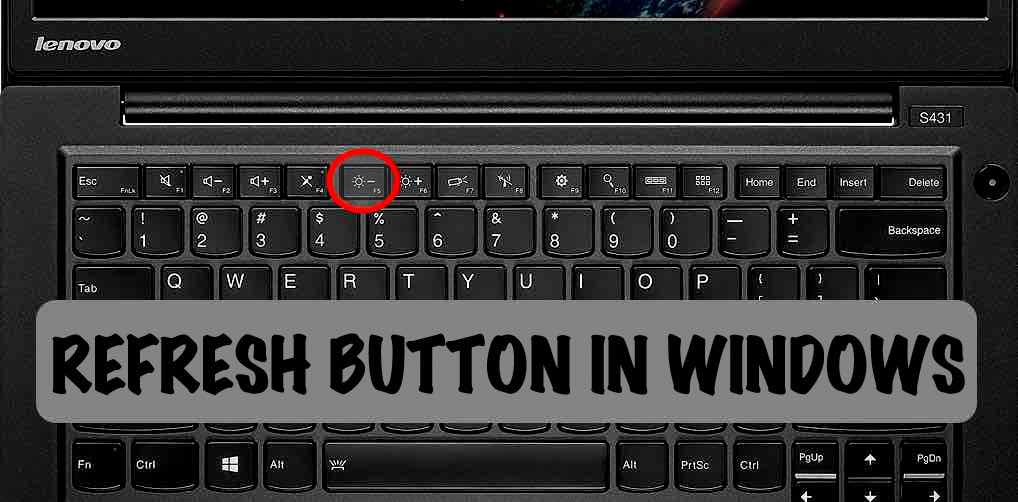
refresh button in windows Most of us have the habit of constantly refreshing our Windows machines. Many times, we just do it because we have to. But, we haven’t thought of the actual thing the Refresh option does to our machine. Read further to know, what the Refresh option in Windows actually does.
I can’t even remember since when I am using the Refresh option present in the context menu in Microsoft Windows operating system. In fact, most of us refresh our Windows desktop for uncountable times in a day. But, very few of us know what the Refresh option actually does to our operating system.Until a few days ago, I, being a loyal Windows user from the time when I got hands on my first desktop machine, believed that the Refresh option in Windows clears the system memory, making it clutter free. But, all my beliefs turned out to be false when I finally I dug through the internet for the actual task performed by the Refresh option in Windows.
What actually happens is that Windows has an auto-refresh feature inbuilt by Microsoft which enables the screen to display the changes made to a folder–even desktop is just a folder for your operating system–either by you or a third-party application or if you want to re-align the folders on your desktop.
Sometimes, the auto-refresh option fails to display the change on your screen. So, you have to manually do it yourself by clicking the Refresh button in the context menu. I would like to tell you that no miracle happens when you click the refresh button. It won’t make any changes in the performance. Your Windows machine won’t transform into a supercomputer.
Most people, including me, have developed a habit of constantly refreshing Windows for no reason. I have shifted to Ubuntu recently and I find myself searching for the Refresh option in the context menu, but it is nowhere to be seen because Linux-based operating systems don’t have it.
It seems like a daily ritual for most of us, our hands involuntarily keep pressing the F5. And some of us even overcome our laziness and refresh windows using a mouse which is a tiresome job, though. So, try to get rid of this bad habit.
Talking technical, all the stuff you see on your desktop is a static frame. Let’s take an example of a movie — In earlier times we went to cinema theatres which used camera reels to project the movie on a white screen. Each reel had many images arranged in an order and they were projected on the screen at a specific rate i.e. 24 images/frames per second. You might’ve heard about the term FPS (frames per second), it’s the same thing. Human eye can’t distinguish if the FPS is 24 or above.
In current times, the same process is followed but the photos are now saved in a digitally compressed file which is given an extension like MP4 or MKV. It makes the video portable and we can open it on our computer.
So, consider a frame generated by your OS as an image. Frames are displayed on your screen one after the other giving you a feel that everything is continuous. Each frame comprises of different UI (User Interface) components like background, icons and their names. When each frame is constructed, all the components are placed on it, like first the background, then the icons and their names. The taskbar acts as a layer which is placed on the top of the background.
Now, if each component would have to be placed in every succeeding frame, then it would be a tiresome job for the hardware. So, to reduce the burden on the hardware, an optimisation technique has been deduced in which only the components which are needed to be changed are marked as dirty and then recreated in the next frame. This reduces the load on the CPU.
The refresh option marks all the components of the screen as dirty, so, the whole screen is recreated in the next frame and displayed on your monitor. That’s the prime job of the Refresh option in Windows.
So, feel free to press the F5 button the next time. But, do decide whether you need it or not. Anyways, it’s your machine and the Refresh option is free–press it as many times you want.
Did we clear your confusion? Tell us in the comments below.

Available link for download

Read more »

Monday, January 16, 2017

You can save 75 on select refurbished Sonos speakers at Amazon right now

You can save 75 on select refurbished Sonos speakers at Amazon right now


Right now you can pick up a certified refurbished Sonos speaker at a $75 discount at amazon The retailer is offering the black and white versions of the PLAY:3 along with the PLAYBAR in this promotion.

Right now, you can save $75 on select refurbished Sonos speakers at amazon The retailer is offering the PLAYBAR and both colors of the PLAY:3 at the discounted price, making it quite enticing for those looking to add to their set up or start one. Sonos puts these speakers through a series of testing before selling, and still backs them with the same 1 year warranty like a new one would have.

Read More »


Read more>> Source Link http://ift.tt/29jXqRr via CrackBerry.com - The #1 Site for BlackBerry Users (and Abusers!)

Available link for download

Read more »

Sunday, January 8, 2017

Why You Should Quit Your Corporate 9 – 5 Job For Blogging

Why You Should Quit Your Corporate 9 – 5 Job For Blogging


You are probably reading this article because you came across the title that instills the thought and reasons why you should quit your 9 to 5 regular job for blogging. Sure this is for real, there are lots of reasons why you would love to call your daily corporate job quit.
quit your job to blog
I’ll explain in this article why you should do so and you will in less than no time become a boss of your own and make money more than you have ever made using your corporate job.
  • Must Read: Reasons Why You Won’t Make Money Blogging

Reasons To Leave Your Day Job For Blogging

1. You Are In Charge

Everyone dreams of becoming a boss of his or her own, and that’s one obvious fact why you should leave your corporate job and run a blog. If you are running a blog of your own, you do not have to be scared that there is a boss out there to fire you or question your activities in their organization.
You run the blog however you wish and still earn more, though becoming successful as a blogger is not a one day job as it requires persistence and endurance. Blogging to success is can be achieved if you work hard.

2. You Work To Your Time

This is one reason that makes me really love blogging as a career. If you are to work for an organization, you are bound to work into their time and schedule but when it comes to blogging, their is no time restraint or compulsory time to blog.
For instance in corporate jobs you have to stress yourself from 9 am to 5 pm for an amount that drags you into debt, but when it comes to blogging, you earn more than enough what you bargained and still do not stress yourself as it takes between 30 minutes to 2 hours to write a blog post depending on the niche you are into. This keeps you at an advantage because you can spend more time with your family and loved ones.
  • Must Read: How To Promote Your Small Business

3. You Can Blog From Anywhere

Blogging is one nice career as you can probably do it from anywhere. Whenever you travel, your business goes with you around and that’s one cool thing about it. As a blogger, my business does not go on a break simply because I’m travelling on a vacation. Infact, I call it mobility of office, as you can go wherever you wish and and still run your business effectively. You do not have to border about going out of business and it enough reason you would want to quit your corporate blog.

4. You Gain Celebrity Status

As a blogger who writes lots of content that attract visitors to your blog, and in this case I mean quality content,  you might not know this, but you build a celebrity status or personality for yourself. With time , hardwork and patience, you find yourself in the circles of people like Oprah Winfrey and her likes.
  • Must Read: How To Make Your Blog Popular

5. Make Money Online

Making money online is one of the major reasons people go into blogging, and I won’t be disputing the fact that it really pays. There are a whole lot of endless opportunities when it comes to blogging, several methods are available to make money blogging and they are the major reasons you need to quite your 9 – 5 job. I know of bloggers who earn 6 figure incomes from their blogs(though i’m not there yet but working towards that), and this has works for them without much stress like the so called 9 – 5 corporate jobs.
  • Must Read: Ways To Make Money Blogging
  • What Is Affiliate Marketing and How Make Money From It

Conclusion

I know it can be a difficult decision to quit your job for blogging, and the fact still remains that blogging is not a get rich quick strategy. You do not have to out-rightly quit your day job if you don’t yet have a stand in the blogosphere. Build your blog firstly to a gain popularity and stand out of the crowd and you can then call your job quit.
Blogging pays lots of bloggers like John Chow and you too can earn a living from it. :)

Available link for download
Read more »

Saturday, January 7, 2017

You tube Ad Away Feel Free v 2 5 build apk

You tube Ad Away Feel Free v 2 5 build apk


You Tube Ad Away Feel Free v 2.5 build apk                  

Ad Away


This is a simple Xposed module to help you get rid of YouTube ads and branding layers.
YouTube AdAway is an Xposed Framework module that removes country restrictions, branding layers, channel logos, video suggestions, and advertising banners from the installed YouTube app, leaving you with a video stream free of restrictions, advertising, and popups.
As the Xposed module requires root in order to function, this module will only work on a rooted device.
There are options for whether you want to block ads or just remove country restrictions, which you might want to consider when using this. Although blocking ads does sound ideal, remember that it’s taking money out of the pockets of whoever posted that video you’re so interested in watching.
What’s in:
– Remove YouTube Ads
– Remove Channel Logo
– Remove videos suggestions
How to Install:
– Install Xposed Installer App
– Install Xposed framework through Xposed Installer
– Install YouTube AdAway App (attached)
– Open Xposed Installer App and enable my App on the modules list
– Reboot
Notes:
– Reboot is a MUST after updating YouTube App or my App
– This application is NOT a modified YouTube App
– You won’t get any (signature) issues if you update your official YouTube App
– If you get any issues playing YouTube videos you can just uninstall my App or disable it on the Xposed modules list
Requires Android Version : 4.0 + Root or above

App size : 2  mb

Root Require to run 

download link below 

Youtube Adaway v 2.5

You tube Ad Away Feel Free v 2.5 build apk                  


Available link for download

Read more »

Thursday, January 5, 2017

You lost your Android phone or tablet Look for them at Google com – CNET in Spanish

You lost your Android phone or tablet Look for them at Google com – CNET in Spanish


Google has a way to find your lost Android.

Google

we’ve all lost our mobile phone at one time or another, sometimes in our homes, sometimes in the car and sometimes in bad weather. Now, instead of looking everywhere to find it, you can trust that Google will come to your aid.

This little-known feature of Google allows you to find your Android phone or tablet using the search engine Google on your PC, as long as you meet the right criteria.

the Android phone must have installed the application of Google, Now cards enabled, the web activity and enabled applications, notifications Google Now on and finally reporting location must be set in the mode of “high precision”

Here’s how it works.

  • first, use the browser on your computer to log into the Google account you’ve set up on your phone.
  • Now type the phrase “find my phone” in the search engine Google on your PC . In response, Google shows a map trying to concentrate on the location of your device. Give at least several seconds, and finally going to see a location on the map is accurate enough to give you a sense of where you left your phone. For example, the map told me the location of my team was accurate to a few meters from where I was.

That’s fine. But what if your phone is lost somewhere in your house? Google will not tell you what room you are in, but it can make the device ring so you can keep track of yourself.

  • To hear the device, click the icon or link Ring on the map. The device will ring at full volume for more than five minutes. Once you find it, just click the button to turn off the ringer.

But what if you own an Android tablet rather than a phone? You can still use the search function. I used it to locate my tablet Nexus 7 and it worked very well. Clicking on the icon Ring, the ringing sound went off in my tablet so I could locate it.

The Google search function is not the only way to locate a missing Android device. A similar feature, called Android Device Manager, you can locate and make it sound device. If you believe your device has been stolen, you can also remotely lock and reset the password or delete your data.

Apple offers a function similar track called Find My iPhone, you can find both your iCloud account or the app Find My Phone to locate your iPhone or iPad lost, make them sound to locate, block or delete your data.

LikeTweet

Available link for download

Read more »

Saturday, December 31, 2016

Which Do You Prefer Removable VS Non Removable Mobile Battery

Which Do You Prefer Removable VS Non Removable Mobile Battery


Phone geeks must have been wondering why suddenly Phone manufacturers switched to non-removable battery. Some of us don’t really like the facts that most smartphones company now produces non removable battery devices. I’ve been privileged to interact with different individual regarding their choice of smartphone and majority of them prefers removable while some don’t really care.


You’ll notice that the use of Universal charger is gradually going out of the market and being replaced with Power banks because most devices now have inbuilt battery.


Personally, I don’t like devices with inbuilt battery because when it eventually lags you have to wait for the battery to run down before you can restart it (what if your device is like that of Ouikitel K10000 whose battery can last you for 10days without charging, meaning you have to wait for 15days before you restart it?). What if you device fall into water or hot pepper soup, how will you dry it if you can’t remove the battery? That may be the end.

*Removable battery is easy to replace

*It is easy to Hard Restart

*Phones with inbuilt battery are slimmer and lighter with unibody design.


Manufacturers don’t want you to tamper with the battery and integral part of the phone that is why they keep producing non removable battery devices.


Now, Over to you… Tell us your experience with removable and not removable battery smartphones you’ve used before and which do you prefer?

Available link for download

Read more »

Friday, December 23, 2016

Will You Like Ubuntu for Android

Will You Like Ubuntu for Android


Now there are three popular smartphone operating system: Android, iOS, Windows Phone. And Palm OS, Symbian, Black Berry OS 6.0. The Sailfish OS and Black Berry 10 is still on the way. Now We just received a new smartphone OS:Ubuntu. How does a smartphone goes like when equipped with Ubuntu?Lets watch this video:


        Ubuntu is a popular Linux operating system which mainly focus on desktop applications.And it begun to move a new field:mobile. Ubuntu has just released a mobile version of the operating system in its official home page.The system is completely free open source, and is divided into two versions of the "regular edition" and "Premium".Regular edition phone configuration requirements are lower, but the functionality is limited. System uses full gesture operation.Corresponding to each edge of the screen will be different operation. For example, Short in the left edge of the screen, slide your finger can exhale program menu; Slide from left to right side of the screen can display the current opened applications, etc.

        And Ubuntu also released Android version. You may wonder Android itself is an operating system, why one more OS? As the mobile terminal increasing powerful performance and most smartphone are equipped with multi-core processors at present. Ubuntu for Android Give aimed to fully play to the performance of mobile terminal to meet the needs of individuals or businesses for the mobile office.It means your smartphone with Ubuntu will turn into a computer when connected with display. If you still confused what is Ubuntu for Android, you may click here for information at Wikipedia.You must be very interested in this. Now lets see how it work.

        When you Android into Ubuntu mode, you can open Shotwell to browse pictures on Android. You can also search directly inside Unitys Dash:pictures, video, and open with Desktop software.


You can use the apps directly in App Lense of Unity.

        And how does Android apps show in Ubuntu?It depends on a software named "Mobile View", which can be used to show or operate Android apps.


        The deep integration between Ubuntu and Android is also reflected that you can search contacts, view recent call records etc. If you choose one contact, it will call the Android Contacts application to do more detailed view.


         And if your Android phone is receiving a new message, the desktop notification feature will note you that a new message is coming. You have guessed that its slow to reply using a mobile phone, you can go with Ubuntu by using Android SMS tool to give a reply. Computer keyboard will be faster for this.

        This picture shows the Ubuntu Message Menu is depth integrated with Android messaging application, two unread messages show directly.


Then start Android App to read the two new message.


           Another worth mentioning interesting point is that Ubuntu can be used to the office, programming, Internet etc. And you can turn it into a Ubuntu TV at your rest time for entertainment.


           So after reading these, I think most of you will be interested in Ubuntu for Android. It creates a new way for us to play linux on Android. It turns a Mobile terminal into Multi-function, multi-scene equipment which be used for everyone.

            Just imagine, There is no need for all work to be done with PC. People may only occasionally use the PC, and the PCs mobility has been a troublesome issue. Equipped with a screen, keyboard and Dock, you just need to put your Android phone on the Dock to give your PowerPoint or something else.

If you want to run an Android phone like this, you handset have to meet the following Hardware Requirements:
Running the Android 2.3 + System
Dual-core 1Ghz CPU
Graphics with X Windows drive support Open GL, ES/EGL
2GB operating system mirroring space
With auxiliary video cache HDMI output
Support USB Host mode
512M memory

The Ubuntu phone is expected to go on sale at the end of 2013. Lets look forward this new OS smartphone.

Available link for download

Read more »

Monday, December 19, 2016

With Sony you can turn your tablet into a powerful camera

With Sony you can turn your tablet into a powerful camera


About five months ago, Sony we already proposed the concept of attached lenses to transform a mobile device. Remember the Xperia Z1 ? Well, this time it was his turn to tablets with the launch of the SPA-TA1 which can turn your tablet into a powerful digital camera .


But wait, the SPA-TA1 is not a camera or lens itself, but rather a kind of clip (in various sizes) which enables you to attach different types of Sony lens type cameras to your tablet.

So, the "lens" that sees the image is a complete camera and there are currently two models, the DSC-QX100 to $ 249 and the DSC-QX10 at $ 499.

The SPA-TA1 arrive in six sizes to adapt to various devices from 85mm to 190mm of the width. In other words, almost all phablets and tablets Sony Xperia Z from Ultra to Sony Vaio Tap 11.

According to the announcement on the official blog, the SPA-Ra1 will be released on April 4, 2014 in Japan for a suggested price of $ 36 dollars.


Available link for download

Read more »