Showing posts with label can. Show all posts

Friday, April 28, 2017

Ways You Can Extend Your iPhones Battery Life

Ways You Can Extend Your iPhones Battery Life


Below are a full detail 10 reviewed ways of how you can extend your iPhone s battery life span.
Just go through them and be sure it will helo.


1. Reducing your Screen Brightness
One thing to take note of is, the brighter your screen backlight, the more the energy required to power it. Therefore it would be a cool idea if you can reduce your screen brightness to save battery. Go to Settings > Brightness & Wallpaper, then use the slider to reduce the backlight brightness.

2. Turning Off 3G/4G
Of course the 3G/4G are fast for internet connections and downloads, but if you really want to save your iPhone battery, then you need to turn it off. Go to Settings > General > Cellular > Slide Enable 3G to Off

3. Turn Off Bluetooth
When you are not making use of the Bluetooth technology of your iPhone, it is requires you switch it off so as to save the usage of the battery in that aspect. Go to Settings > General > Cellular > Slide Enable Bluetooth to Off.

4. Turning Off Wi-Fi
Wi-Fi is only available where hotspot services are available, and it is sure faster than the 3G. Letting your Wi-Fi On with hopes of getting a hotspot is a sure way to drain your battery. Simply turn the Wi-Fi Off. Go to Settings > WiFi > Slide to Off.

5. Turning Off Data Push
Whenever you get a new mail, you iPhone gets the mail instantly, this is the function of Data Push. Turning it off would reduce the number of times your iPhone Device connects to the internet and this would definitely save your battery life. You would have to set your mails to be checked periodically instead. Here is how to Turn Off Data Push. Go to Settings > Mail, Contacts, Calendar > Fetch New Data > Slide to Off.

6. Fetch Emails Less Often
As I said above, you need to set your email sourcing to periodic intervals, but this should be less often in order to save your battery life. Go to Settings > Mail, Contacts, Calendar > Fetch New Data -> Select Your Preference.

7. Set Auto-Lock to a Sooner Interval
When your iPhone locks, it goes into sleep mode which saves a lot of energy usage. Setting your smartphones auto-lock interval to a quicker time, for instance, 1 or two minutes is a good idea to extend your battery life. Go to Settings > General > Auto-Lock > Tap your Preference.

8. Turn Off Equalizer
The music equalization settings of your music player requires extra energy. Turning it Off would save this energy. Go to Settings > Music > EQ > Tap off.

9. Turn On Auto-Brightness
Auto brightness is a great feature if you do not wish to set your backlight brightness yourself. It reduces your backlight in dark places and increases it in bright places. Go to Settings app > Brightness & Wallpaper > Auto-Brightness On.

10. Do not Use your iPhone for Battery Intensive Activities
Doing less battery intensive activities saves battery life. Activities such as watching videos, streaming online videos, browsing the internet, gaming are all battery intensive. Having a cut on them can go a long way in increasing and extending your battery life.

I hope you find this tips on Extending and Saving iPhone Battery Life Helpful. Let us know other ways you save your battery life using the comment box below.

Available link for download

Read more »

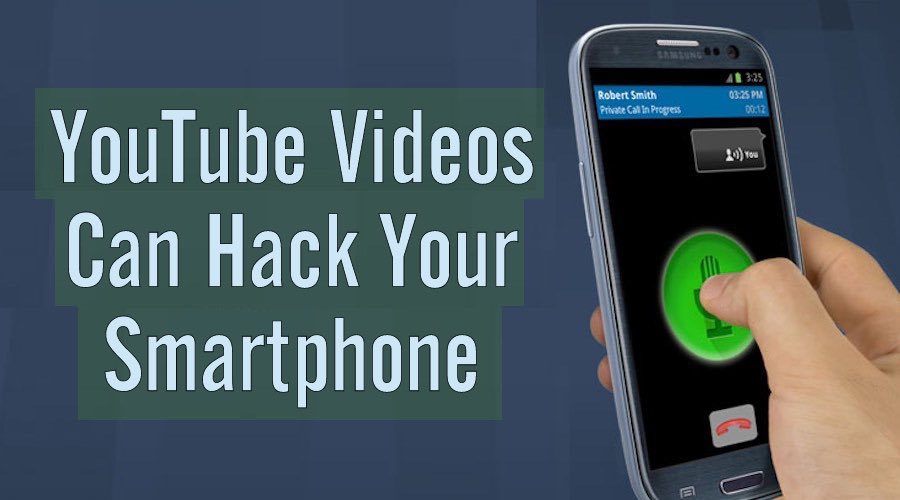
Voice Commands Hidden In YouTube Videos Can Hack Your Smartphone

Voice Commands Hidden In YouTube Videos Can Hack Your Smartphone


youtube video hacks phone A combined research has been conducted by UC Berkeley and Georgetown University to demonstrate how distorted voice commands hidden in YouTube videos can be used to attack a smartphone. The research shows that certain harmful commands that can be understood by our voice assistants can be hidden inside a YouTube video.
Speech recognition systems have trailed on the path of advancement faster than what the world has expected. We’re very well aware of the presence of mind shown by Siri and Cortana. But these qualities manifested by our beloved voice assistants have now become a matter of concern.According to a research paper titled as Hidden Voice Commands, an attacker can use video from YouTube or any other source to hack your smartphone. Sounds next to impossible but the idea is not that insane as you may assume. The researchers are sure about the experiments they’ve carried out.
What exactly happens is that voice commands which can be understood by voice assistants are packed inside a YouTube video such that a human can’t understand them.
Once you start playing a YouTube video on your computer or laptop on speakers, the hidden commands in the malicious video can trigger operations in your smartphone lying nearby. Tasks like opening a particular web page and downloading some malware can be accomplished even without the knowledge of the user. This would allow the attacker to perform things on your device which you might regret.
Two models have been proposed in the research conducted at UC Berkeley and Georgetown University. First, the black-box model, which consists of testing with voices which can be deciphered by a human if he concentrates. A prime benefit described is that if the listener already knows that command present in the distorted voice, then it would be easy for him to understand it by unconsciously hearing the message.
Listen yourself:
1 0:00 / 0:07
The White-box model involves totally distorted voices for which chances are next to impossible of being understood by a human.
Example:
The researchers are also working on an alarming system which would warn the users if any such command gets initiated on their smartphone. The attack detection accuracy is 99.8% with a machine learning approach and a challenge response system created by the researchers. You can visit the Hidden Voice Commands website for more such commands and other technical stuff about the research. Security issues like these are a great worry in the century when tech giants are busy enhancing the ability of their voice assistants. For example, Google is working on a version of Google Now which works without the internet. Check out the demo video uploaded by the researchers. In the video, they have shown how the smartphone response to distorted voice commands:
Feel free to share your views about these developments in the comments below.

Available link for download

Read more »

Thursday, April 27, 2017

You Can Make Much Money Online Internet For Free

You Can Make Much Money Online Internet For Free


You Can Make Much Money Online/Internet For Free

Due to the global harsh economic situation many people have sort different ways of elevating their standard of living and recently the internet has grown tremendously as one of the fastest ways of making much money legitimately,but the problem is that many have not really gotten the real information on the available channels through which they can earn money.

In this article we are going to show you different ways you can join the world of internet made billionaires, this is a very great opportunity as what we are about to show you is going to be a financial eyeopener.


How You Can Make Money Online/Internet


The process of making money are numerous but in other to make it easier for your understanding we will limit it to the following:

  •  AFFILIATE MARKETING
  • BLOGGING 
  • FREELANCE WRITING
Affiliate marketing is an online business which has in its process an arrangement of earning a commission by promoting other people’s products, goods or services.
Whenever you find a product you like, promote or advertise it to others, and earn a certain percentage of the profit for each sale that you make, which means you dont need to produce anything just get people to buy and you are rewarded for serving as a link or middleman between the producer and the buyer. Affiliate marketing means that you promote products for your niche. A link or banner advertising the product is displayed on your site. If visitors click on it and make a purchase, you receive a commission.

Affiliate marketing on internet has credit to  William J. Tobin, who came up with the idea as a concept as the founder of PC Flowers & Gifts. Launched on the Prodigy Network in 1989, PC Flowers & Gifts remained on the service until 1996. By 1993, PC Flowers & Gifts generated sales in excess of $6 million per year on the Prodigy service. In 1998, PC Flowers and Gifts developed the business model of paying a commission on sales to the Prodigy Network and from then affiliate marketing evolved to level we now have it
This online business is very lucrative as many people have made a lot of money from it, they are many affiliate marketing platforms of which some them are as follows:

  1.  Rakuten Linkshare.
       linkshare.com.
  2.  CJ by Conversant.
       cj.com.
  3.  amazon
       affiliate-program.amazoncom.  
  4.  Avangate avangate.com. 
  5.  ClickBank.
       clickbank.com.
  6.  ebay Partner Newtork.
       ebaypartnernetwork.comvangate.com.


Blogging 

First of all we will have to tell you the difference between a blog, blogging and blogger.
Blog is an abbreviated version of "weblog," which is a term used to describe websites that maintain an ongoing chronicle of information. A blog features diary-type commentary and links to articles on other websites, usually presented as a list of entries in reverse chronological order. Blogs range from the personal to the political, and can focus on one narrow subject or a whole range of subjects. Then the act of using blog is known as blogging while the person who does the blogging is blogger.

Many blogs focus on a particular topic or niche, such as web design, home staging, sports, or mobile technology. Some are more eclectic, presenting links to all types of other sites. And others are more like personal journals, presenting the authors daily life and thoughts.

I KNOW YOU MUST BE WONDERING HOW DO MAKE MONEY FROM BLOGGING?
 Before you will start earning via your blogging there things that has to be on ground first;

  1.  Create your own blog. Build your blog. And secure a niche on what to write. Draw from your expertise & experience and write informative posts and articles about your chosen topic. Make your content excellent. In order to make money, you must have visitors, but in order to have visitors, you must have content worthwhile to visit, and it advisable that you blog about things you have expertise in or a keen knowledge
  2.   Get your intended readers or people who would need the things you blog about, by creating a valuable content( a relevant and important information)  As you create valuable content, start building genuine and sincere relationships via social media, forums & groups, commenting on other blogs and the like. Consider starting a mastermind group. Reach out to people in your niche. Find people who could use the information you provide. Get to know them, interact, be friendly and helpful by offering no-strings-attached tidbits of your expertise. Word about you spreads best via people who know, like & trust you. 
  3. When you have gotten your required audience, readers or visitors t your blog a strong platform is needed to keep growing in the knowledge of your craft so the content you produce gets increasingly great. Use your blog to get exposure, build authority, gain trust and be helpful.
There are  other means through which you generate income from your blog they include:
  • Advertising
  • Affiliate Marketing
  • Digital Products
  • Physical Products
  • Services
If you dont have a blog yet and you would like to start blogging, CLICK HERE TO CREATE YOU OWN BLOG 


Freelance Writing
Freelance means working for different companies at different times rather than being permanently employed by one company.
 A freelance writer is a writer who works on a self-employed basis. They can work for just one magazine or, more often, they write for several different publications at a time. The more diverse a writer can be, the more likely they are to be published and paid for their work.
Basically, freelance means someone who works for different companies instead of being an employee of one company. A freelance writer is being paid based on the quality of his article. We will show you how you can use freelance writing effectively to make money online


  1.  Endeavor to learn principles of effective writing. As a freelance writer, much of your work will likely be published on the internet. The principles of writing for the web differ slightly than writing for print. The content must still be high-quality and well-written, but the presentation must be adjusted for the way people read online material. 
  2. Due to low resolution of online text, readers tend to scan rather than read everything from top to bottom. Make your text easily scanned  by breaking up text using descriptive headings and bullet points. 
  3. You should make effort to  present your writings inductively. This means writing the conclusion first and then providing examples to support it.
  4.   Make your copy effective by being concise and using simple language. Aim your writing to an eighth-grade reading level. Remove unnecessary or confusing words or terms.
  5.  You should use keywords and phrases that improve your ranking in the search engines.
  6. You should have a close observance of your area of interest and expertise. If you take the time to reflect on your experiences, you will realize that you have more knowledge about which to write than you might think. Begin by listing three assets that define you, such as your profession, a special hobby or a personality trait. Next, list three things that inspire you, such as religion, education or charity. Finally, list three of your dreams, such as getting married, traveling or spending more time with your children. These three lists should give you many ideas of topics about which you can write.
  7. You should create a website where you be publishing your articles. Your website not only demonstrates your technical ability, but it also creates an online hub that allows clients to connect to you. Keep the design of your website clean and uncluttered. Include examples of your work that demonstrate the kind of writing you do. Make the samples easy to find and to read. Finally, make it easy for visitors to figure out how to contact you.
    
However, as I stated earlier there are many other means but the ones I gave you here are purely based on an evaluation we carried out on, therefore any suggestions, questions or contributions as regards You Can Make Much Money Online/Internet is welcomed in the comment box.

Available link for download

Read more »

Tuesday, March 21, 2017

You can Now transfer money via Facebook Messenger

You can Now transfer money via Facebook Messenger


A new feature that allows you to send and receive money via Facebook messenger has just been introduced by Facebook Developers.


While the feature is only available in the US currently, it is expected to arrive Nigeria and Other Africans country around October later this Year.


This was disclosed at theF8 developer conference Today.

Other Features which was reveal include features like chatbots and videos

This is indeed a good development by Facebook.

Do you like this New Feature?? Kindly comment below

Available link for download

Read more »

Monday, March 6, 2017

WAEC GCE Result 2014 2015 is out you can check ur result here

WAEC GCE Result 2014 2015 is out you can check ur result here


WAEC GCE Result 2014/2015 is out..you can check ur result here

How To Check WAEC GCE Result 2014/2015 on waecdirect.org
Buy WAEC scratch card from any Banks, Post Office, Authorized Dealers and WAEC office nearest to you in your area.
Go to WAEC result checking official portal at  www.waecdirect.org 
*.Enter your 10-digit WAEC Examination Number.
(This is your 7-Digit centre number followed by
your 3-digit candidate number e.g. 4123456789)
*.Enter the 4 digits of your Examination Year e.g.
2014
*.Select the Type of Examination
*.Enter the Card Serial Number found on the
reverse side of your Scratch card.
*.Enter the Personal Identification Number (PIN)
on your Scratch card
*.Click Submit and wait for the results window
to come up..

Drop ur comments if u find it difficult to check
Your result

Available link for download

Read more »

Friday, January 27, 2017

You Can Now Play Counter Strike On Your Android Devices

You Can Now Play Counter Strike On Your Android Devices


Counter-Strike is one the most popular action PC games and now you can play it on your Android smartphone/tablet screen. A coder has managed to port the entire game on Android architecture and
The developers has worked day in day out to bring this interesting game to your smartphone
You Like to Grab The Apk
Here


Available link for download

Read more »

Wednesday, January 18, 2017

Youngsters can learn how to brush their teeth playing Brush Brush Cocomong game

Youngsters can learn how to brush their teeth playing Brush Brush Cocomong game


Brush Brush cocomong love it on your Apple  iPhone, iPod & iPad. Brush Brush Cocomong application for Apple iPhone is a youngsters education app. It has attractive artwork, interesting models and teaches them essential life lessons. The application applies a entertaining story & animation to take youngsters by 6 steps of right tooth brushing.  Basing fine oral hygiene uses former in life can aid youngsters avoid cavities as well as dental problems while they grow up. You are able to catch Brush Brush Cocomong application for $3.99 on iTunes App Store.

Brush Brush Cocomong - download

Alzex Personal Finance iPhone app-download

Available link for download

Read more »

Monday, January 16, 2017

You can save 75 on select refurbished Sonos speakers at Amazon right now

You can save 75 on select refurbished Sonos speakers at Amazon right now


Right now you can pick up a certified refurbished Sonos speaker at a $75 discount at amazon The retailer is offering the black and white versions of the PLAY:3 along with the PLAYBAR in this promotion.

Right now, you can save $75 on select refurbished Sonos speakers at amazon The retailer is offering the PLAYBAR and both colors of the PLAY:3 at the discounted price, making it quite enticing for those looking to add to their set up or start one. Sonos puts these speakers through a series of testing before selling, and still backs them with the same 1 year warranty like a new one would have.

Read More »


Read more>> Source Link http://ift.tt/29jXqRr via CrackBerry.com - The #1 Site for BlackBerry Users (and Abusers!)

Available link for download

Read more »

Monday, December 19, 2016

With Sony you can turn your tablet into a powerful camera

With Sony you can turn your tablet into a powerful camera


About five months ago, Sony we already proposed the concept of attached lenses to transform a mobile device. Remember the Xperia Z1 ? Well, this time it was his turn to tablets with the launch of the SPA-TA1 which can turn your tablet into a powerful digital camera .


But wait, the SPA-TA1 is not a camera or lens itself, but rather a kind of clip (in various sizes) which enables you to attach different types of Sony lens type cameras to your tablet.

So, the "lens" that sees the image is a complete camera and there are currently two models, the DSC-QX100 to $ 249 and the DSC-QX10 at $ 499.

The SPA-TA1 arrive in six sizes to adapt to various devices from 85mm to 190mm of the width. In other words, almost all phablets and tablets Sony Xperia Z from Ultra to Sony Vaio Tap 11.

According to the announcement on the official blog, the SPA-Ra1 will be released on April 4, 2014 in Japan for a suggested price of $ 36 dollars.


Available link for download

Read more »

Sunday, November 20, 2016

You Can Transfer Battery Charge Between Two Devices Using An OTG Cable

You Can Transfer Battery Charge Between Two Devices Using An OTG Cable


I have written many Article on OTG Cable but this will definitely blow your mind.

Do you know you can transfer battery charges from one device to another using an OTG cable.
Sound amazing huh? Well the technology behind the invention of this simple peripheral innovation has been making life easier for us using our smartphones.

How to Transfer Battery Charges From one Smartphones to Another


• To share battery charge between two phones, all you need is an OTG cable and a regular charger cable. 


• When you have everything ready, connect the charger cable to one of the phones and connect the OTG cable to the other phone. Attach the two cables together, the phone with a smaller charge level will start to charge.

The charging will continue until the batteries of both phones has almost the same level of charge. However you can stop the charging anytime by disconnecting the cables. 

Screenshot


Do you find this Article interesting? Kindly comment below .

Available link for download

Read more »

Thursday, November 17, 2016

Ways Andriod Devices Can Be Protected and Infected By Viruses

Ways Andriod Devices Can Be Protected and Infected By Viruses


Android Viruses isn’t a topic which many people discuss in my locality but there has really been complaints which some people I had met were not even able to describe. Picking up their devices I discovered they had been attacked by one form of virus or the other, that’s why I had to bring us this walk-through.
android malware

A Brief Description of Android Viruses

Just like every other virus that can attack your computer systems, Android viruses are malicious apps, programs, files or even codes that can mess up your device and perhaps in most cases do things in your device without your consent, like stealing your data and/or destroying it.
They surely can do more harm to more devices despite the huge amount of effort Google puts into building Android OS. Many of us believe our Android devices are invulnerable but the OS is Open source (Android Open Source Project -AOSP), this alone completely changes that fact.

Android Virus Types

They are mainly Malwares and Trojans right now, they’re made up of files & codes, yes you heard me right “CODES”! Viruses are now written in strong encrypted codes and injected to run in your device, we take a sneak peak at Trojans & Malwares.

Malwares

Malwares can completely hijack installed apps with your data or even the entire device. This virus that use the WebView component on Android versions older than 4.4 (KitKat) are silent and transparent, it won’t notify you before taking actions. 
Malwares make use of certificates to gain access to your device, Android certs which give administrative rights are basically of 3 types
1. Hard-coded Adobe certificate
2. The 3LM certificate with the certificate chain, malwares can use the device management extensions to silently install new apps, change system settings and take control of the device.
3.  The third is hard-coded certificate is used by Google Wallet
Attackers abuse and can use any of the above certs to bypass whatever stops malwares from attacking your device.

Android Trojans

Okay, this one is pretty smart amongst the rest. If a trojan infects your device, it can relax there without you even noticing, it’s the most sophisticated virus you can think of.
Here’s a paragraph from Wikipedia of what Trojan can do.
“In August 2010, Kaspersky Lab reported a trojan designated Trojan-SMS.AndroidOS.FakePlayer.a. 
This was the first malicious program classified as a Trojan SMS that affects smartphones running on Google’s Android operating system, and which had already infected a number of mobile devices, sending SMS messages to premium rate numbers without the owner’s knowledge or consent, and accumulating huge bills
See what installing it looks like below…
Trojan_permissions
Another dreadful feature of a Trojan is that it can’t be deleted once it’s installed. This is because Trojan enjoys extended privileges, but is not listed as an application with Device Administrator privileges.
Trojans can go as Far as collecting sensitive data from your device and these may include: your MAC address, telephone number, account balance, local time and of course it will tell the cybercriminalswhether it had successfully gained Administrator privileges of your device.
Now there were still apps submitted to Google and Kaspersky team for Analysis, they returned feedbacks after scanning– trojans make use of a program called“Backdoor.AndroidOS.Obad.a.”
I believe more crafty ways are still been built to encrypt Trojans with codes that cannot be understandable by anti-malware experts. The fight against this virus continues.

How Your Android Devices can Be Infected

Your device can be infected through any means of communication with a 3rd-party device, app, files, or bytes it received.
In most cases those free apps you install from 3rd party stores other than the original Google PlayStore can contain malicious codes.
You may even get your device infected through mails/messages attachments, or shared apps from another devices.

Tips on how to protect your device

Fortunately, in most cases of reported issues of Android malware & trojan attacks, solutions were quickly created to fight it. Here’s what you can do in case your smartphone or tablet is already infected:

1. Install an ANTI-VIRUS

Installing an antivirus can’t be overemphasized. Although this does not guarantee your device is 100 secure, it goes a long way to prevent an infection. You may pick from any of those below, they’re reliable.
– Kaspersky Internet Security
– AVAST Mobile Security & Antivirus
There are more which you can always find from recommendation by Play Store.
You’re expected to install only one AntiVirus! Installing more than one can actually harm your device sooner or later. Wondering why? Installing two different programs to perform the same jab can cause conflicts with undesirable effects like your device crashing or slowing down.
I’ll suggest you also install Bluebox Security Scanner, it can check whether a device is vulnerable to the fake ID attacks and whether your device allows installation of apps from untrusted sources among other things.

2. Monitor Your Installation Permissions & Accessibility

Before installing apps, you’re always presented with the permissions the app is asking for. This is an easy way to spot malicious programs.  When apps starts asking for permissions like your contacts, device app history, location, identity, SMS access, email access and other sensitive data, be sure it’s an app you trust downloaded preferably from Google Play.This includes
You can also choose to VERIFY APPS before you install them.

3. Encrypt your phone

With this settings activated, you should make yourself a numeric PIN or Password to decrypt your phone each you Power it on. You do this by going to SETTINGS > SECURITY > scroll down and you’ll find the option.
Be sure you use a PIN/Password you can easily remember.
People feel Android virus attacks are few but it mustn’t be ignored, otherwise you may loose not only your device, but also your accounts connected with it. Apps like PayPal, GoogleWallet, BitCoin can get hacked through viruses. I still can’t tell which viruses are more harmful,  but I’m pretty sure the tips in this post will help you stay safe from any of them.

Available link for download


Read more »

With this case you can use Android directly on the screen … – Gizmodo in Spanish

With this case you can use Android directly on the screen … – Gizmodo in Spanish


Android is a very versatile operating system, so much so that you can installed in a lot of devices. The iPhone, however, is quite closed (something that Apple prefers to make things work better). But a developer has managed to break the barriers, in a way, and Android has led to the screen of your iPhone

http:. //es.gizmodo.com/9-aplicaciones …

the head of this work is Nick Lee, but his feat is tricky: it really is based on a sheath designed and developed, which includes everything needed to run the Android operating system on the screen of an iPhone, to through an application.

Lee developed an application that leverages the system that hides the cover to run the version of Android on an iPhone 6s Marshmallow anyone. The cover even has a USB port, an HDMI port and a microSD card if you need more storage in your strange iPhone / Android to Frankenstein.

Of course, the case is not sale (at least for now), but it explains everything you need to make your own on their website, using some basic electronic components and a 3D printer (to create the cover). This man is also responsible for having installed Windows 95 on an Apple Watch, so we have curiosity about what his next project. [Nick Lee / Tendigi (YouTube) via Verge]


Follow us on Twitter, Facebook and Flipboard


<.! - core-decorated ->

LikeTweet

Available link for download

Read more »

Wednesday, November 16, 2016

What WeChat can teach Facebook Messenger

What WeChat can teach Facebook Messenger


ETTelecom.comWhat WeChat can teach Facebook MessengerETTelecom.comLast week, Facebook announced it would allow businesses to privately communicate with customers through its Messenger app. As the company begins to tweak this service, all eyes should be on Chinas all-in-one messaging app, WeChat, as an indicator ...Its Operating Systems Vs. Messaging Apps In The Battle For Techs Next FrontierTechCrunchSocial media tries to revive Chinas stock marketChicago TribuneMobile messaging is changing how brands interactPulseall 18 news articles »

Available link for download

Read more »

Tuesday, November 8, 2016

What is blogger and how you can create a blogger blog

What is blogger and how you can create a blogger blog


What is Blogger?

According to the Computer Desktop Encyclopedia, Blogger is:
"A Web site launched in 1999 from Pyra Labs, San Francisco, CA (www.blogger.com) that provides the tools for creating blogs (Weblogs). After users select a pre-designed template or create one with their look and feel, every posting entered on Blogger is published to the Blogger page on their Web site automatically. In early 2003, Blogger was acquired by Google. "


So, in simple terms, Blogger is a free site where you can make blogs (a kind of sites) where you can write about everything you want - from personal life to discussing about your political views, or relating your experience in a topic of interest.

How to create a blogger blog?

Go to Blogger.com homepage and click on the "Get Started" button

blogger tricks, tips, create a blog

Enter your Gmail acount details (your gmail address and pasword) and then press "Sign in"

blogger, create blog, web design

Enter the name you want to appear on your blog - check the "Agree to Terms and Conditions"
Click on the "New Blog" button

web hosting, forum, design, blogger blogspot

Enter your blog title and the address of your new blog, choose a template (Simple Template is more easily to customize, so i recommend you to choose this one) then click on "Create Blog!"

Your Blog has been created, you can start blogging.

Real Also:
  •               How To Edit Your Blog Easily With The New Blogger Template Editor 
  •              How to Backup/Restore Template in the new blogger interface | NairotechBlog  

Available link for download

Read more »

Sunday, October 30, 2016

You can now Check 2016 2017 Jamb CBT Result Without Using Scratch Card

You can now Check 2016 2017 Jamb CBT Result Without Using Scratch Card


The Joint Admission and Matriculation Board, popularly known as JAMB, has finally uploaded the results of candidates who took part, in the much anticipated 2016/2017 unified tertiary matriculation examination (utme), and the result was not only sent to candidates official phone numbers, but has also been uploaded online.


Also See:  
  • Check JAMB Result 2016
  • 2016 JAMB Result
Today, we have some good news for you, and that is, you can now check the 2016-2017 jamb cbt result online, without the use of scratch card, and it is FREE.

Weve also received information, that the JAMB management board, has on the 17th of March 2017, re-enabled the portal, where candidates can now check their result free.

The truth, is that you CAN check your RESULT five(5) TIMES. After that you will be required to buy Jamb scratch cards to access your results. (All you need to do, is to go to a cyber cafe, and print out your result before the five times grace period expires.)

JAMB CBT Result Without Using Scratch Card

Take note, that the method, by which you can use in checking your result is very simple. Weve already outlined the guidelines Here on our portal. You can use the below link to check your result Free

CLICK HERE TO: Check Jamb 2016 CBT Results Online FREE

Just like i said above, to wisely use the limitation placed by JAMB on checking your result for five (5) times ONLY, well advice you, to visit a cybercafe, and buy “time”.

Then use the above guidelines and check your result, after that, you should ask the cafe operator to kindly help you print out your Jamb slip.

Available link for download

Read more »

Friday, October 7, 2016

Windows 8 how it can make a sysadmins life easier

Windows 8 how it can make a sysadmins life easier


There are plenty of nay-sayers who dismiss the idea of Windows 8 in the enterprise but there are many advantages to its adoption

There are plenty of commentators out there who tell you that business users have no real reason to move up to Windows 8.

But is there something to be said for bringing Windows 8 into the enterprise?This is hardly surprising; companies are loath to look to change the operating system at the heart of their company network. But is there something to be said for bringing Windows 8 into the enterprise? What actual features really jump out as must-haves?

The big issue is the nature of identity. If you’re one of trendsetters with your new Surface RTs & Pros and you went to use your windows tablet at work then you may well have found that joining the tablet to a domain, cuts off access to the Live world and the App Store.

This isn’t as catastrophic as it may initially appear: you can re-enable Live sync services by going to PC Settings > Users while logged in to the domain. It’s easy enough to do, there are screens which talk you through which parts will be synced and indeed, which identity will show to the outside world.

All of this could be a nightmare for the Systems Admin guys but, fortunately, the features for admins in Server 2012 are well up to the job of controlling the potential information leaks that could arise when a big-time Windows Live aficionado with a massive following suddenly links his Documents and Pictures folders up to (say) a hospital’s image bank server.

The key to understanding this control in Server 2012 is the massive expansion in Group Policies. This is not about having just five or 10 little keys hidden away in a subfolder; users can be blocked from cross-linking external IDs to internal domain accounts altogether.

Individual Azure-aware apps can be authenticated to connect on a case-by-case basis, of course, including the updated Windows Essentials 2012 add-on pack (as an aside, if you are messing about with the standard in-box apps for cloud sync, then stop and get the essentials pack without further delay - it’s a must-have download).

you can treat any tablet as a usable part of your company IT resourceI’m a Windows Network Administrator, though, so it’s the new server-side stuff that really interests me. After all, with the right work put in to the server farm, you can treat any tablet as a usable part of your company IT resource, whether it’s running Windows 8 or some other operating system.

The relevant component is Remote Desktop Services. This has expanded so much under Server 2012 that it’s barely recognisable. It used to be the case that many people using a single server as a shared desktop would be at the mercy of tight spots in the whole compatibility and performance continuum - your favourite app had to be well behaved at a memory-map level, and abstemious with network traffic so that your user session updates didn’t get hit too hard. Whole websites grew up on tweaking and tuning this kind of deployment.


Available link for download

Read more »

Thursday, September 29, 2016

You Can Now Send SMS Messages Via Facebook Messenger

You Can Now Send SMS Messages Via Facebook Messenger


As earlier reported 12 weeks ago while on beta phase, DavidMarcus (Former President at PayPal) took to his Facebook page yesterday to announce that you can now send SMS via Facebook Messenger on Android. 

In his words,
A lot of Android texting apps didnt keep up with the evolution of messaging, so we felt like we truly had to make Messenger the best SMS client for Android. As a result, in addition to having a fully integrated app for all your messaging, 
youre now able to send voice clips, stickers, and even share your location over SMS on top of standard texting features. You will now also enjoy all the things youve come to love about Messenger for all your messages, including chat heads and more.
Just go to settings, select “SMS”and turn on “Default SMS App.” This will ensure all your SMS conversations appear in Messenger as purple threads, alongside your blue Facebook chats.
Your chat experience just took a new turn... but note that standard SMS fees still apply.

Available link for download

Read more »

Wednesday, September 14, 2016

You can no longer downgrade from iOS 7 to iOS 6

You can no longer downgrade from iOS 7 to iOS 6


After a significant period of testing, Apples overhauled iOS 7 has made the move and gone public and official. As with any major software rework, there was no shortage of bugs (some bigger than others), nor was there a lack of complaints about the new look of the OS.

As always, however, there are those who dont quite like the new OS and want to revert back to iOS 6. Whether their concerns are strictly related to the new design, or they simply suddenly found out just how old their iPhone 4 is getting (the oldest iPhone to support the new OS), due to the significantly more animation-heavy iOS 7, theyre simply not given a voice. Said more explicitly, in a typical Apple fashion the plug has been pulled on iOS 6 officially, meaning that whatever ways you could find to revert back will no longer work. Thats not to say you cant revert back to it at all, its just that Cupertino has stopped signing older firmware, meaning that you wont have access to essentials, such as the iTunes store.

 Some of you will be quick to demonize Apple for this, and we fully get it – were, after all, enthusiastic proponents of choice. On the other hand, Apple has traditionally kept OS fragmentation to a minimum thanks to a strong hand approach like this -- a good thing for a number of reason, like an overall better and more targeted support for our iPhones.
Via

Available link for download

Read more »

Sunday, September 11, 2016

You can Now Pay Your NEPA Bills Online PHCN Online Payment

You can Now Pay Your NEPA Bills Online PHCN Online Payment


Power Holding Company of Nigeria (PHCN) have introduce to us, the best way we can to pay our Nepa bills without stressing our selfs by standing in an unlimited queue where you might be given a position of number of 200 plus.


Today, that time you will use to form a queue while paying your Nepa might from today, be well minimized by you. So going to Nepa to pay your bills would become a

Available link for download

Read more »

Tuesday, September 6, 2016

You Can Make All the Links in Your Blog to OPEN in New Tab

You Can Make All the Links in Your Blog to OPEN in New Tab


Are you a newbie into blogging? If your answer is Yes, I will sure that you dont know this trick before. Here I added a code to open all the link on your blog in a new tab.
 Make All the Links in Your Blog to OPEN in New Tab
You may ask what is the need of it. It is very important. Let me tell how it is important. If you added a link of  another website for clarification or any need, it will open in a new window. In case of not adding this code you have to set up it when you add a link.
  • Why Google Search Engines Indexes Only 26 Pages Of Your Blogger Sitemap?
What is the need of open link in new tab?
  • It will increaseyour blogpageviews.
  • If other site is open instead of your blog page, you will lose traffic.
  • If your blog links open in new window, your blog audience may see many of your blog contents.
  • It will decrease your blog bounce rate.
Follow This below simple Step

1. Go toBlogger Dashboard in your blogger account. 2. Click on the EditHTML button to extract your blog template.
3. Search for <head> using Ctrl+F
4 .Copy the following single line of code and paste the code below it.
<base target=_blank />
Finally, Save your Blog Template. All the links in your blog will open in new tab.
Kindly share this post to your lovely friends. Also you can Share your experience with us by written your comment below in the comment box.

Available link for download

Read more »